
Many small businesses run without professional IT support. Usually it's not because they don't see the risk. It's because it feels like a cost they can't afford. This article shows how to weigh that cost against what an attack can cost, and how to build your technology costs into your prices with a simple calculator.
What the numbers say
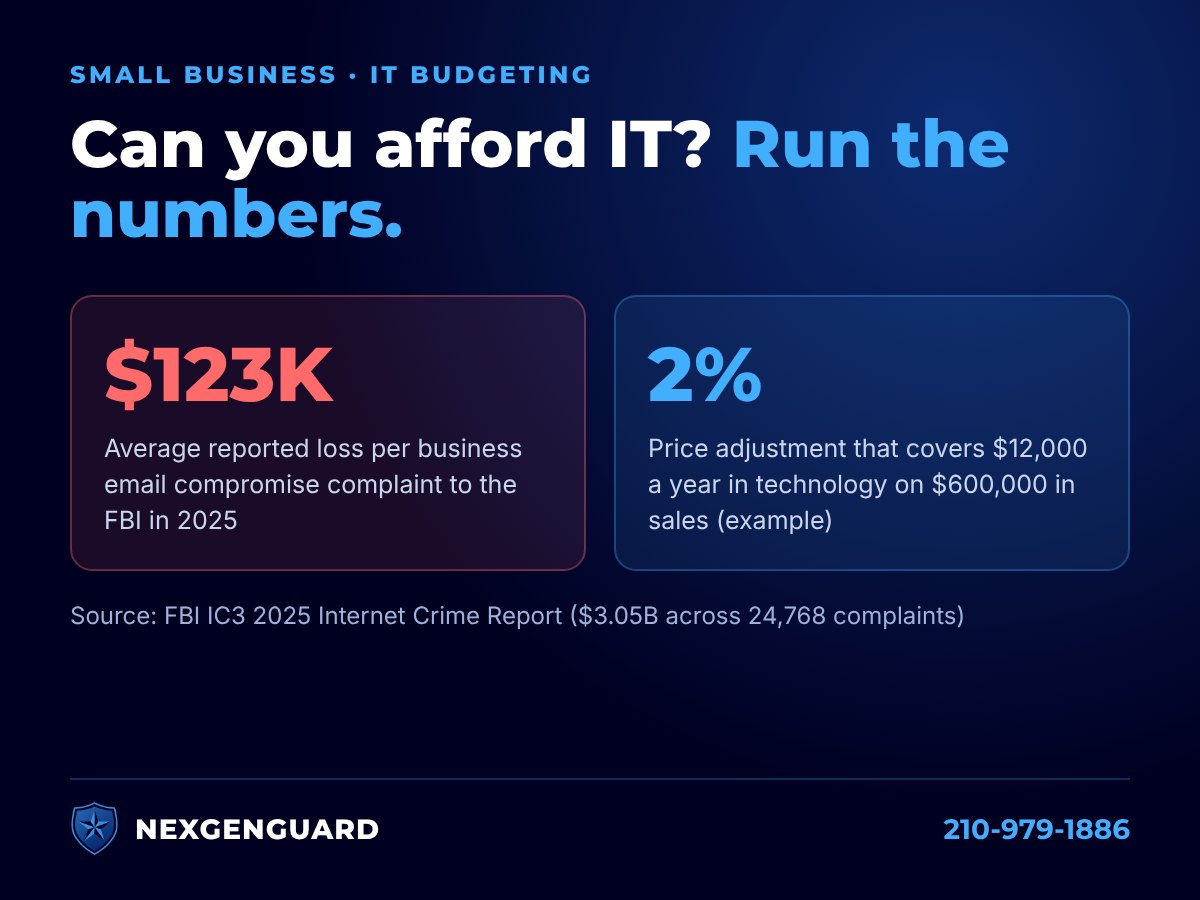
- About $123,000 per incident. In 2025, the FBI received 24,768 business email compromise complaints with $3.05 billion in reported losses. That works out to about $123,000 per complaint (FBI IC3 2025 Internet Crime Report).
- Phishing is the most common. Phishing and spoofing was the most-reported crime type in the FBI's 2025 report, with 191,561 complaints. Texans filed 97,912 complaints reporting $1.83 billion in losses (FBI IC3).
- Many businesses couldn't absorb it. In VikingCloud's 2026 survey, 40% of small and medium-sized businesses said a cyberattack costing $100,000 or less could put them out of business (VikingCloud). In its 2025 research, nearly 1 in 5 said a successful attack would force them to close (VikingCloud).
What protection costs depends on your business
There is no one-size price for IT protection, and a generic package can leave you paying for things you don't need while missing the risks you actually have. We start by assessing your real-world threats and pain points, then tailor a plan to fit your needs and budget, so every dollar goes where it reduces the most risk.
Think of it like insurance
You wouldn't run your business without liability insurance. You pay a known amount every month to avoid a loss you can't survive. IT protection works the same way, with one difference: insurance pays after the damage, while good IT helps stop the damage from happening.
A simple way to weigh it:
Chance of an incident this year × Cost of an incident = What the risk costs you each year
Example only: if you estimate a 10% chance of an incident costing about $123,000, that's about $12,300 a year in risk you're already carrying. The calculator below shows what a small price adjustment would give you to work with.
How to calculate the increase that covers your technology
- Add up your yearly technology costs. Include IT support or managed services, security tools (antivirus, email filtering, backup), software subscriptions like Microsoft 365, cyber insurance, and computer replacements spread across their expected life.
- Pick the method that fits how you charge.
- Percentage of sales: yearly tech cost ÷ yearly revenue × 100 = % increase
- Per sale or invoice: yearly tech cost ÷ number of sales or invoices per year = amount per sale
- Per client per month: yearly tech cost ÷ 12 ÷ number of active clients = monthly amount per client
- Add a cushion. Round up a little to leave room for costs going up.
- Check with your accountant on how to record it and whether it's taxable.
| Example: $12,000 a year in technology. If your business has… | Calculation | Increase needed |
|---|---|---|
| $600,000 in yearly revenue | $12,000 ÷ $600,000 | 2% on prices |
| 4,000 sales or invoices a year | $12,000 ÷ 4,000 | $3.00 per sale |
| 50 clients billed monthly | $12,000 ÷ 12 ÷ 50 | $20 per client per month |
Calculator: what could a small price adjustment cover?
Answer three quick questions. You'll see, in plain numbers, how much a small price adjustment would give you each month to put toward IT support and security. Nothing you type is sent anywhere unless you ask for a personalized estimate below.
| If you raise prices… | You'd have per month | Per computer user, per month | Added to each sale |
|---|
These figures come only from the numbers you entered. They show what a price adjustment would fund, not what your IT should cost; that depends on your business. For comparison, business email scams reported to the FBI in 2025 averaged about $123,000 in losses per complaint (FBI IC3 2025 report).
Want your real number? Get a personalized estimate.
We'll look at your answers and reply with an estimate tailored to your business. No obligation, no sales team.
Two ways to cover the cost
Once you know the number, you can build it into your prices or show it as its own line. Either works if you're upfront about it.
| Build it into your prices | Add a separate technology fee | |
|---|---|---|
| How it works | Raise prices by your calculated amount | Add a clearly labeled line on invoices or receipts |
| Upside | One price; nothing extra on the bill | Shows customers you invest in protecting their data; easy to adjust later |
| Downside | Customers don't see what it pays for | An added line customers may question; it must be disclosed up front |
| Often fits | Retail, restaurants, price-sensitive customers | Service businesses, B2B, recurring billing |
If you add a fee, give it a plain name that says what it pays for, such as Technology & Security Fee or Data Protection Fee, and:
- Show it up front, before the customer is ready to pay, never as a surprise at checkout.
- Make sure the name matches what it pays for.
- Check first if you're in a regulated field. Law, healthcare and other industries can have rules about what can be billed separately; ask your attorney, professional association or insurance contracts.
Not sure what your technology should cost?
NexGenGuard is a family-owned IT and cybersecurity company in San Antonio. We'll assess your real-world threats and pain points and tailor a plan that fits your needs and budget. Request a free IT security assessment or call 210-979-1886.
Sources
- FBI Internet Crime Complaint Center: 2025 IC3 Annual Report
- VikingCloud: Cybersecurity statistics (2026 SMB Threat Landscape Report)
- VikingCloud: Successful cyberattacks would force 1 in 5 SMBs out of business (March 25, 2025)
Examples on this page are illustrations, not predictions. This article is general information, not financial, tax or legal advice.
